If you are looking for the CBSE Class 9 Computer Applications Syllabus for the 2026-27 session, you are in the right place. CBSE has released the official syllabus, and in this article, we have explained it in a simple and student-friendly manner.
You can also download the official CBSE Class 9 Computer Applications (Code 165) PDF using the direct link provided below.
Overview of CBSE Class 9 Computer Applications Syllabus 2026-27
The Class 9 CBSE syllabus for Computer Applications is crucial for board exams and sets the foundation for higher classes. The 2026-27 syllabus includes competency-based questions, increased focus on application-based learning, and internal assessments.
| Board | CBSE |
| Class | 9 |
| Session | 2026-27 |
| Subject | Computer Applications |
| Content-Type | Syllabus/Curriculum |
| Official Website | https://cbseacademic.nic.in |
CBSE Class 9 Computer Applications (Subject Code: 165) Syllabus (2026-27)
Learning Outcomes
After completing the course, students will be able to:
- Understand the basic components and functions of a computer system.
- Learn about memory, storage devices, and input/output devices.
- Gain knowledge of different types of software and computer networks.
- Understand multimedia and its applications.
- Learn safe internet practices and cyber security basics.
- Create and edit documents, spreadsheets, and presentations.
- Perform basic calculations and data management using spreadsheets.
- Add animations and effects to presentations.
CBSE Class 9 Computer Applications 2026-27 Marks Distribution
| Unit | Topic | Marks |
|---|---|---|
| Unit 1 | Basics of Information Technology | 20 |
| Unit 2 | Cyber Safety | 15 |
| Unit 3 | Office Tools | 15 |
| Unit 4 | Lab Exercises (Practical) | 50 |
| Total | 100 Marks |
Unit 1: Basics of Information Technology (20 Marks)
This unit introduces students to the fundamentals of computers.
Topics Covered:
1. Computer System
- Characteristics of a computer
- Components of a computer system
- CPU (Central Processing Unit)
- Memory
- Storage devices
- Input and Output (I/O) devices
2. Memory
Students will learn about:
- Primary Memory
- RAM
- ROM
- Secondary Memory
3. Storage Devices
- Hard Disk
- CD-ROM
- DVD
- Pen Drive / Flash Drive
- Memory Stick
4. Input and Output Devices
Input Devices
- Keyboard
- Mouse
- Scanner
- Web Camera
Output Devices
- Monitor
- Printer
5. Types of Software
- System Software
- Operating System
- Device Drivers
- Application Software
- Mobile Applications
6. Computer Networking
Students will study:
- PAN (Personal Area Network)
- LAN (Local Area Network)
- MAN (Metropolitan Area Network)
- WAN (Wide Area Network)
- Wired Communication
- Wireless Communication
- Wi-Fi
- Bluetooth
- Cloud Computing
- Private Cloud
- Public Cloud
7. Multimedia
Introduction to:
- Images
- Audio
- Video
- Animation
Unit 2: Cyber Safety (15 Marks)
Cyber safety is an important part of the Class 9 Computer Applications syllabus.
Topics Included:
Safe Internet Practices
- Safe web browsing
- Safe use of social media
- Identity protection
- Creating strong passwords
- Privacy and confidentiality
- Cyber stalking awareness
- Reporting cyber crimes
Malware
Students will learn about:
- Computer Viruses
- Adware
Unit 3: Office Tools (15 Marks)
This unit focuses on practical computer applications used in everyday work.
A. Word Processor
Students will learn how to:
- Create and save documents
- Edit and format text
- Use Bold, Italic, and Underline
- Change font style, size, and colour
- Align text
- Format paragraphs
- Add headers and footers
- Insert page numbers
- Use grammar and spell check
- Add subscript and superscript
- Insert symbols
- Preview and print documents
Additional Features
- Insert pictures
- Change page settings
- Add bullets and numbering
- Use borders and shading
- Create and edit tables
- Insert/delete rows and columns
- Merge and split cells
- Auto-format
- Track changes
- Review comments
- Use drawing tools, shapes, and mathematical symbols
B. Presentation Tool
Students will study:
- Introduction to slide presentations
- Slide layouts
- Create and save presentations
- Different presentation views
- Normal View
- Slide Sorter View
- Handout View
Slide Formatting
- Add titles and subtitles
- Insert text
- Add background and watermark
- Insert headers, footers, and slide numbers
Multimedia Features
- Insert images
- Add animations
- Add sound effects
- Rehearse timings
C. Spreadsheets
Students will learn:
- Worksheet and Workbook concepts
- Create and save worksheets
- Enter numbers, text, and dates
- Use Auto Fill
- Edit and format worksheets
- Change font, colour, and alignment
- Insert and delete rows, columns, and cells
- Create formulas using:
- Addition (+)
- Subtraction (-)
- Multiplication (*)
- Division (/)
Spreadsheet Functions
- SUM()
- AVERAGE()
- MAX()
- MIN()
- IF() (without compound statements)
Charts
Students should know how to create:
- Line Chart
- Pie Chart
- Scatter Chart
- Bar Chart
- Area Chart
Unit 4: Practical Lab Exercises (50 Marks)
The practical section carries the highest weightage in the examination.
Students should be able to perform:
- Configure browser settings for secure browsing
- Navigate the operating system and file system
- Create text documents
- Prepare letters, reports, and greeting cards
- Create documents with images and figures
- Write about the organisation of a computer system
- Type documents in an Indian language other than English
- Create presentations
- Add animations to presentations
- Insert pictures and sound effects
- Create spreadsheets
- Use SUM, MIN, MAX, and AVERAGE functions
- Create line, bar, area, and pie charts
Practical Exam Marks Distribution
| Component | Marks |
| Lab Test | 30 |
| Word Processing | 10 |
| Spreadsheet | 10 |
| Presentation | 10 |
| Report File + Viva | 10 |
| Report File | 8 |
| Viva Voce | 2 |
| Project Work | 10 |
| Total Practical Marks | 50 |
Tips to Score Good Marks in CBSE Class 9 Computer Applications
- Focus on practical work as it carries 50% weightage.
- Practice creating Word documents, spreadsheets, and presentations regularly.
- Learn basic spreadsheet formulas and chart creation.
- Understand cyber safety concepts and internet security.
- Revise networking and computer hardware basics.
- Complete your practical file and project work on time.
Download CBSE Class 9 Computer Applications Syllabus 2026-27 PDF
Click the button below to download the official CBSE syllabus PDF for 2026-27.
📂 Download CBSE Class 9 Computer Applications Syllabus PDF
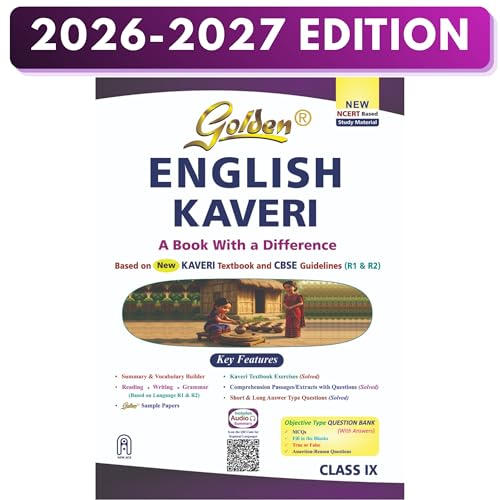
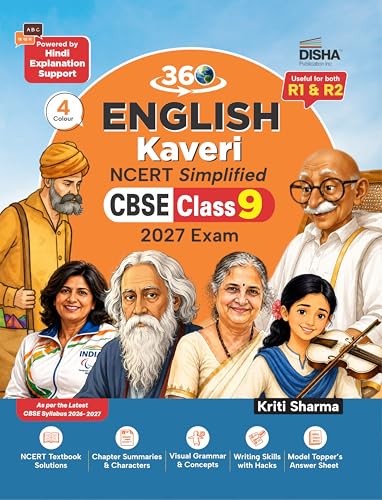
Best Books for Class 9

Related Guides
CBSE Class 9 SST Syllabus 2026-27
CBSE Class 9 Maths Syllabus 2026-27
CBSE Class 9 Hindi R2 Syllabus 2026-27
CBSE Class 9 Science Syllabus 2026-27
CBSE Class 9 English Syllabus 2026-27
CBSE Class 9 Hindi R1 Syllabus 2026-27
Stay Updated!
Join our Telegram/WhatsApp group for CBSE updates, free notes, and exam tips!
Bookmark this page & keep revising smartly!
Frequently Asked Questions
What are the main units in the CBSE Class 9 Computer Applications syllabus?
The syllabus is divided into four main units:
Basics of Information Technology
Cyber Safety
Office Tools
Lab Exercises (Practical)
What is the total marks distribution for Class 9 Computer Applications?
The subject carries a total of 100 marks, distributed as follows:
Basics of Information Technology – 20 Marks
Cyber Safety – 15 Marks
Office Tools – 15 Marks
Practical/Lab Exercises – 50 Marks
How many marks are allotted for the practical examination?
The practical examination carries 50 marks, including the lab test, report file, viva voce, and project work.
Which spreadsheet functions are included in the syllabus?
Students should know the following basic spreadsheet functions:
SUM()
AVERAGE()
MAX()
MIN()
IF() (without compound statements)
Is project work compulsory in CBSE Class 9 Computer Applications?
Yes, students must complete a project worth 10 marks based on the concepts learned during the course.
Related posts:
 CBSE Class 9 Maths Syllabus 2026-27: Download PDF & Full Exam Pattern
 CBSE Class 9 Science Syllabus 2026-27: Download PDF & Full Exam Pattern
 CBSE Class 9 SST Syllabus 2026-27: Download PDF & Full Exam Pattern
 CBSE Class 9 English Syllabus 2026-27: Download PDF & Full Exam Pattern
 CBSE Class 9 Hindi Course A (R-1) Syllabus 2026-27: Download PDF & Full Exam Pattern
 CBSE Class 9 Hindi Course B (R-2) Syllabus 2026-27: Download PDF & Full Exam Pattern
 CBSE 3 Language Formula Explained (R1, R2, R3) – New Rules 2026-27
 Top 15 Major Changes in CBSE Class 9 Curriculum 2026-27