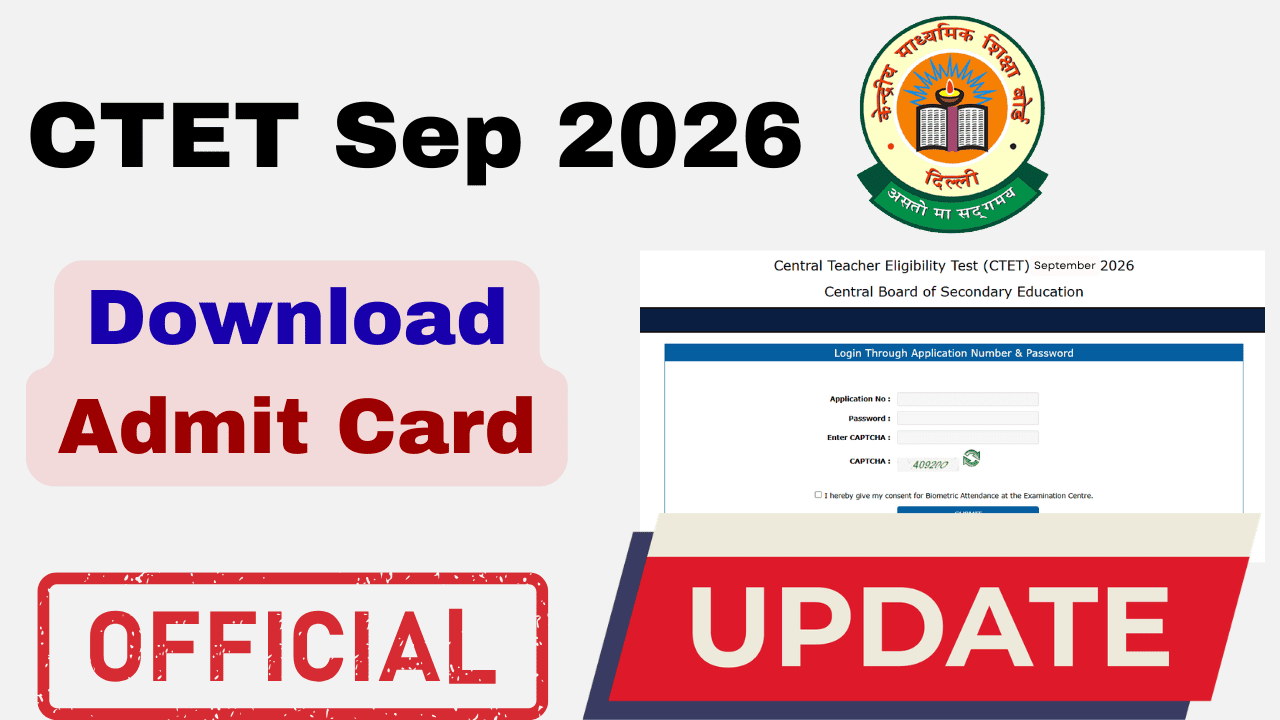
The Central Board of Secondary Education (CBSE) will conduct the 22nd edition of the Central Teacher Eligibility Test (CTET) on 12 and 13 December 2026. According to CBSE’s public notice dated 14 September 2026, the admit card will be available on the CTET portal two days before each candidate’s examination date.
Candidates whose exam is on 12 December can expect their admit card on 10 December 2026. Candidates appearing on 13 December can expect theirs on 11 December 2026. Download the hall ticket from the official CTET portal, @ctet.nic.in, when it becomes available.
CBSE will also provide candidates with their examination city and allotted exam date 15 days before the examination. Based on the announced schedule, this information is expected on 27 November 2026 (Friday). Check the CTET portal for the official release.
Overview of CTET Sep 2026
The CTET September 2026 is being conducted across India on two days as per the official information bulletin.
- Exam Dates: 12th and 13th December 2026
- Mode: Offline (Pen-Paper / OMR)
- Cities: 140 cities across India
Exam Shifts:
- Morning Shift (Paper II): 9:30 AM – 12:00 PM
- Afternoon Shift (Paper I): 2:30 PM – 5:00 PM (Note: Check your specific admit card for your exact shift and reporting time).
CTET 2026 Exam: Important Dates
| Event | Date | Status |
| Admit Card Release | 10th and 11th December 2026 | Awaited |
| City Intimation Slip | November 27, 2026 (Friday) | Awaited |
| CTET Exam Date | 12th and 13th December 2026 | Released |
| Result Declaration | January 2027 (Tentative) | Awaited |
CTET Sep 2026: Exam Timings & Schedule
Dates: To be announced
| Event | Morning Shift (Paper II) | Afternoon Shift (Paper I) |
| Exam Date | 12th and 13th December 2026 | 12th and 13th December 2026 |
| Reporting Time | 07:30 AM | 12:30 PM |
| Last Entry (Gate Closure) | 09:30 AM | 02:30 PM |
| Admit Card & ID Checking | 09:00 AM – 09:15 AM | 02:00 PM – 02:15 PM |
| Booklet Distribution | 09:15 AM | 02:15 PM |
| Test Start Time | 09:30 AM | 02:30 PM |
| Test End Time | 12:00 Noon | 05:00 PM |
Critical Warning: The exam centre gates will close exactly at 09:30 AM and 02:30 PM. No candidate will be allowed to enter after the gate closure time under any circumstances. It is highly recommended to reach the centre at the Reporting Time (2 hours before exam start) to complete biometric verification and frisking smoothly.
Direct Link to download CTET September 2026 Admit Card
If the main website is not loading, use these alternative server links provided by CBSE:
- 🔴 Link 1 (Server A): Click Here to Download Admit Card
- 🔴 Link 2 (Server B): Click Here to Download Admit Card
Tip: If the page says "Service Unavailable," try opening the link in Incognito Mode or refresh multiple times.
Common Issues & Solutions
Since the release, candidates have reported several issues. Here is how to fix them:
1. Website Crashing / "503 Service Unavailable"
- Reason: Over 25 lakh candidates are accessing the site at once.
- Solution: Try downloading late at night (after 11 PM) or early morning (5 AM). Use the alternative links provided above.
2. Error in Candidate Name or Spelling
- Solution: Compare the Admit Card with your Confirmation Page. If the error is on CBSE's end, email the CTET Unit immediately with your Application Number and proof. If the error was in your application form, it cannot be changed now.
3. Exam Centre Far Away
- Status: CBSE generally does not change exam centres once allotted. Verify the location on Google Maps immediately to plan your travel.
How to Download CTET 2026 Admit Card
Follow these steps to download your hall ticket:
- Click on one of the Direct Links above.
- Enter your Application Number.
- Enter your Password.
- Enter the Security PIN (Captcha) shown on the screen.
- Click Submit.
- Your Admit Card will appear. Print two copies immediately.
Details to Verify on Admit Card
Ensure these details match your identity documents:
- Candidate Name & Spelling
- Roll Number & Application Number
- Exam Date: Check your exam date.
- Exam Centre Address: Locate this early.
- Photograph & Signature (Must be visible).
What to Do in Case of Discrepancies in Admit Card?
Finding an error on your admit card can be stressful, but most issues can be resolved if you act immediately. Here is the official protocol for handling errors in the CTET Sep 2026 Admit Card.
1. Error in Candidate’s Name, Father's Name, or DOB
- Step 1: Compare your Admit Card with your Confirmation Page (the form you downloaded after applying).
- Scenario A: If the error exists in your Confirmation Page too, it means you made a mistake while applying. It cannot be changed now. You must take the exam with the existing admit card. You can try to file an affidavit later during the certificate verification stage.
- Scenario B: If your Confirmation Page is correct but the Admit Card has an error, this is a technical glitch on CBSE’s part.
- Step 2: Immediately email the CTET Unit with your Application Number, a copy of the Confirmation Page, and the Admit Card highlighting the error.
- Contact Details:
- Email:
ctet.cbse@nic.inordirectorctet@cbseshiksha.in - Helpline:
011-22240112, 011-24050477 (Call between 10:00 AM – 05:00 PM)
- Email:
2. Photograph or Signature Missing / Not Visible
This is a common server generation error.
- Immediate Solution: Contact the CTET helpline immediately.
- Exam Day Solution: If the issue is not resolved by exam day, candidates are advised to carry two recent passport-sized photographs (same as the one uploaded in the application) to the exam centre. You may need to hand these to the Invigilator or Centre Superintendent for verification.
3. Wrong Paper or Subject (e.g., Math/Science instead of Social Science)
- This is a critical error. Check your Confirmation Page.
- If you selected the correct subject in your application but the Admit Card shows the wrong one, you must visit the CBSE CTET Unit in Delhi or contact them immediately with proof.
- If you selected the wrong subject yourself, no changes are allowed at this stage.
4. Application Number Not Found / Invalid Credentials
If you cannot login to download your admit card:
- Click on "Forgot Application No?" on the login page.
- Enter your Name, Father’s Name, Mother’s Name, and DOB to retrieve it.
- If it still says "Record Not Found," it is possible your application was rejected due to fee non-payment or image discrepancy. Check your email for any rejection notices from CBSE.
Important Contact Information for Help
Save these details for urgent queries:
- Email:
ctet.cbse@nic.in - Phone:
011-24050477 - Address: CTET Unit, CBSE, PS 1-2, Institutional Area, I.P. Extension, Patparganj, Delhi-110092
Must-Carry Documents for Exam Hall
You will not be allowed inside the centre without:
- Printed CTET Admit Card (Original).
- Valid Photo ID Proof (Aadhaar Card, PAN Card, Voter ID, or Driving Licence).
- Ballpoint Pen (Blue/Black) of good quality.
- Water Bottle (Transparent, 500ml).
Also See:
- CTET September 2026 Application Correction Window Guidelines
- CTET September 2026 Exam Pattern Revised? Check Latest Update
- CTET Sep 2026 Application Form: Documents Required & Photo Size
- CTET Sep 2026 Apply Online Begins, Direct Registration Link Active
- CTET September 2026 Notification Out PDF Download @ ctet.nic.in
All the best for your exam!
Related posts:
 CTET Eligibility September 2026: Check Minimum Qualifications for Paper 1 & Paper 2
 CTET Previous Year Papers PDF with Solutions (2026-2018) – Free Download
 Difference Between CTET Paper 1 vs Paper 2 – Which Should You Apply For?
 CTET vs State TET – Which is Better for Teacher Jobs?
 Does CTET Guarantee a Job? Complete Discussion
 What Happens After Clearing CTET? A Complete Career Roadmap
 CTET Sep 2026 Application Form: Documents Required & Photo Size
 CTET September 2026 Application Correction Window Guidelines